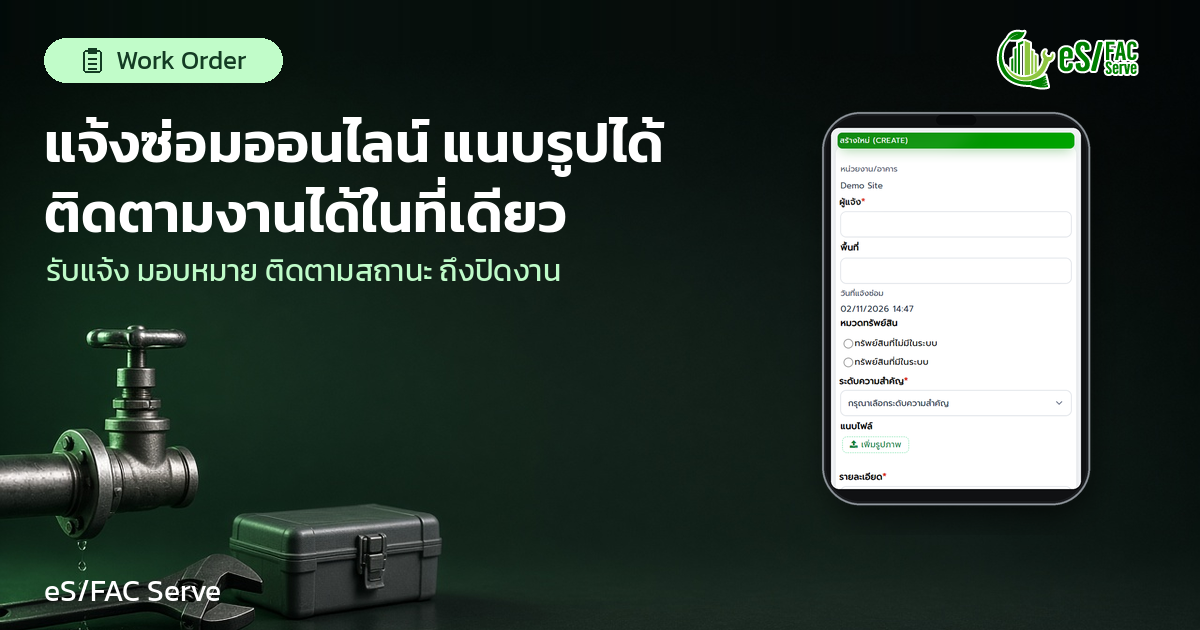
The online repair request system, from receiving the request to completing the job with photos, how does it work?
How does the online repair request system, from receiving the request to completing the job with photos, work?
The online repair request system receives repair requests as a single system, converting each request into a work order with a designated person responsible, a completion date, and a status visible to everyone. As repairs process through this system, the technical team knows what to do first, eliminating the need for follow-up calls from those who reported the issue, and supervisors can see which tasks are still pending.
This article explains why repair requests can easily get missed, the steps involved in the online repair workflow, how photos help, and provides a short checklist for teams getting started.
Why did the repair request get lost along the way?
In many teams, repair requests come in through various channels. Some are sent by phone, some via chat, and some are on sticky notes left on the desk. Each channel is convenient for the person submitting the request, but it presents challenges for the team responsible for receiving them. The data is scattered across different locations.
The problems that follow are often the same.
– The details are incomplete, such as not knowing the exact location of the fault or the type of damage. – It's unclear who received the requests, so some matters haven't been acted upon yet. – When a shift changes, the new person doesn't know what outstanding tasks are left. – The person reporting the incident needs to call again to ask about the progress of the task. – The supervisor is responsible for gathering the information themselves whenever work needs to be summarized.
All of this isn't due to anyone doing a bad job, but because the repair requests don't have a consistent destination.
How does an online repair request system differ from requesting repairs by phone or on paper?
A good repair request system doesn't force everyone to change their reporting habits in a single day, but it ensures that all requests are recorded in one place and have complete basic information from the start, such as the person reporting, the area, and the date of the request. Level of importance, details, and illustrations.
There are three key differences.
First point Every matter has evidence indicating when and what was reported. Number two Everything becomes a task with an owner, not just a message in a chat. Third point Everyone involved can see the same status without needing to ask multiple people in the chain of command.
The 5-step repair workflow in the online repair request system.
1. Received notification.
Repair requests are recorded on the same form every time, including the person reporting the issue, location, date, importance level, and details. If photos of the fault are attached, the technician can see the problem before arriving at the site and prepare the correct tools or parts from the first visit.
2. Create a work order.
Incoming matters are converted into work orders , which are trackable by the relevant department. Work orders don't only come from repair requests; they also include complaints, incident reports , or inspection reports revealing problems, such as damaged equipment. Therefore, all work orders are listed under the same document.
3. Assign a technician.
Each work order specifies the person in charge and the due date. When a new task arises, the assigned person is notified, eliminating the need to be physically informed or to guess who has received the assignment.
4. Work includes a photograph.
During the work process, the work order status indicates how the task is in progress. Photographs help everyone understand the problem. A common approach used by many teams is to take photos of the fault when reporting it and another photo after the repair is complete as team evidence. When asked about it later, the team can answer based on the recorded information, rather than relying on memory.
5. Close the event.
Once the repair is complete, the status changes to finished. All involved parties see the same result, and the closed work order remains in the system for the team to review if a similar issue arises again.
The supervisor saw all the unfinished work in one place.
The most obvious benefit of an online repair request system is that supervisors no longer need to ask each person individually. The dashboard and work order section provide an overview of which tasks are incomplete, delayed, and finished. Data from work orders also helps to track response times, delays, and areas for improvement in the process.
Seeing the big picture like this makes prioritizing daily tasks easier. Urgent tasks aren't overshadowed by smaller ones, and smaller tasks aren't left undone to become major problems.
How does eS/FAC Serve help with repair requests?
In eS/FAC Serve, all repair and service requests are managed through the work order system . The team can...
- Create a repair request using a form that includes the person who reported it, area, date of report, importance level, details, and allows for attaching images. - Create, assign, and track work orders, including responsible parties, due dates, and progress status. – Instruct the system to generate a work order from complaints, incident reports, or inspections that reveal problems. – Notify the responsible person when there is a new task. - View the dashboard for unfinished tasks, delayed tasks, and completed tasks.
The work order system can be used for many types of tasks, including maintenance, cleaning, gardening, pest control, and security. It can also be used to record incidents such as water leaks or power outages. Incident reports can be used.Incident Report(Attached are photographic evidence and you can track the status of the process.)
eS/FAC Serve is in use at over 1,000 locations.
Checklist before using the online repair request system.
1. Agree on the team's primary reporting channel and designate who will record issues into the system. 2. Specify minimum information for each item: informant, area, importance level, details, and image. 3. Clearly prioritize and assign response times for each level. 4. Assign responsibilities according to task type to facilitate quick assignment. 5. Agree on when the work is considered complete, such as requiring photos after repair or confirmation from the client. 6. Regularly review the task dashboard, for example, every morning before assigning tasks.
FAQ
What is an online repair request system?
The online repair request system records repair requests into a single system, converting each request into a work order with a responsible person, completion date, and status. This allows everyone to track tasks using the same set of data. This is important because it reduces omissions between channels, eliminates the need for follow-up calls from those reporting issues, and provides supervisors with immediate access to outstanding tasks.
Why do I need to attach photos in a repair request?
Attaching photos helps technicians visualize the fault before proceeding to the site. Photos can be attached from the moment the repair request is submitted on the eS/FAC Serve form. This is important because it allows technicians to prepare the correct tools and parts from the start, and the team has a record to refer to later if asked.
Do work orders only come from repair requests?
No, in eS/FAC Serve, work orders can also be created from complaints, incident reports, and inspection reports that find problems, such as faulty equipment, and all of them are in a single central system. This is important because supervisors don't have to open multiple items to view all tasks and can prioritize tasks from a single overview.
How will the supervisor know which tasks are pending?
Supervisors can view the work order dashboard, which displays unfinished, delayed, and completed tasks in a single overview. Work order data also helps track response times and delays. This is important because urgent tasks aren't overshadowed by smaller ones, and there's no need to check the status of each individual task.
conclude
The online repair request system ensures that all repair requests have a single destination. Each request becomes a work order with an owner, completion date, and status, and photos can be attached at the time of submission, allowing the technical team to work more efficiently. The person reporting the issue doesn't need to make follow-up calls, and the supervisor can see the outstanding work in one place.